In the window
Join QR
Join anywhere. Earn nothing yet.
- WINDOW
- WEBSITE
- SOCIALS
- FLYERS
Share anywhere. Joining never earns a visit.
Your own branded loyalty card on your customers' phones - they join in seconds by scanning your Join QR, and collect at the till. No app to download, no hardware to buy, and your customer list stays yours.
 Community scene · staged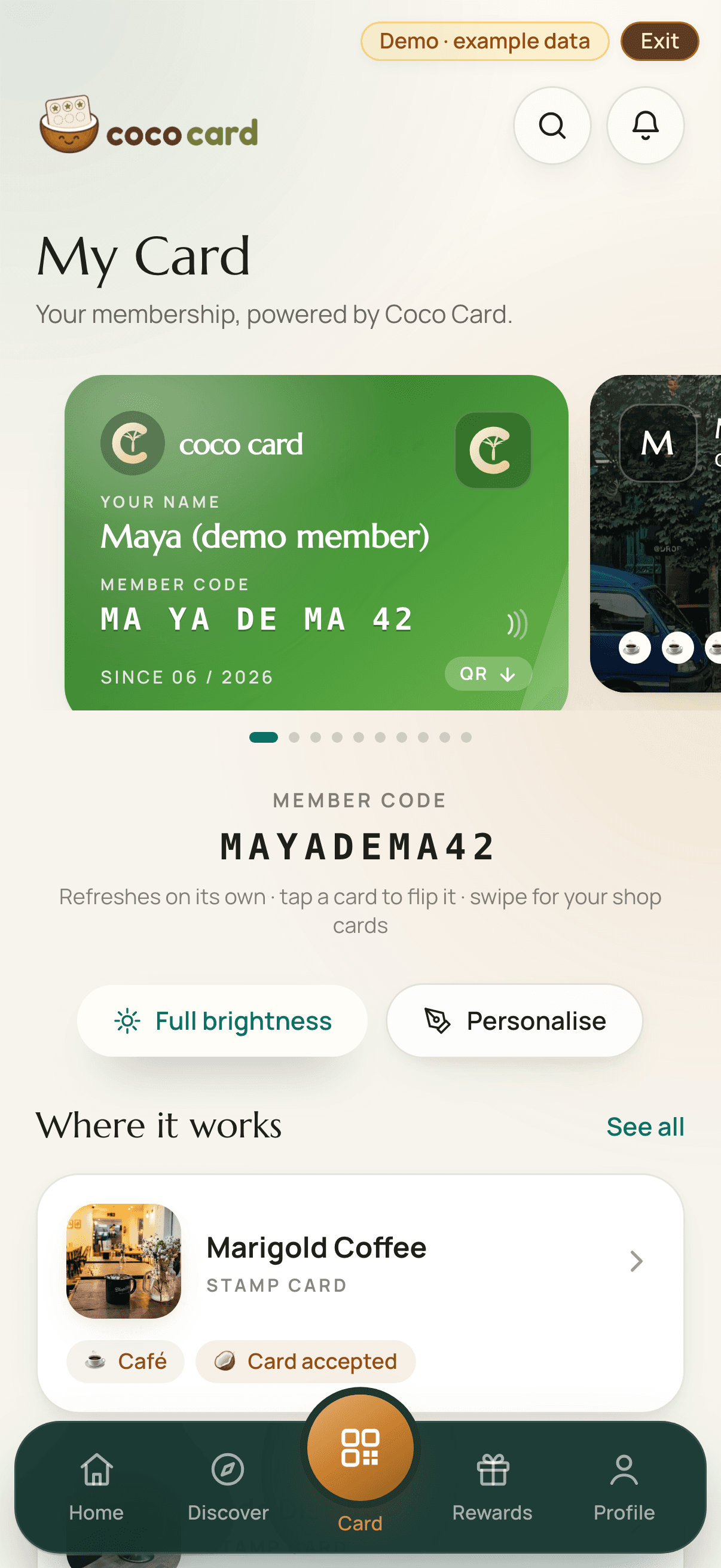
The counter moment
Scan. Join. Remembered next time.
No app for customers to download, no hardware for you to buy.
One scan of your Join QR - window, table, socials - and they're a member. Joining earns nothing yet.
Staff scan their card, or they scan your Live Till QR or your Counter QR. The visit lands with you alone.
Redeemed at the counter. On Growth, win-back nudges and birthday treats run by themselves - consented members only, on a schedule you control.
In the window
Join QR
Join anywhere. Earn nothing yet.
Share anywhere. Joining never earns a visit.
At the till
Counter QR
Scan after purchase. Earn the visit.
Keep at the till. Scanned after buying, it awards the visit. Never in the window, website, social media.
No phone behind the till? The Counter QR is the whole answer - print it, keep it at the till, and customers collect on their own phones. You normally won't need to replace it; if it's ever shared, revoke it and print a fresh one in a click.
| Option 1Staff ScanStaff have a phone? Scan the customer.Uses a device you have | Option 2Live Till QRGot a screen? Let customers scan themselves.Uses a device you have | Option 3Counter QRNo phone behind the till? Print your Counter QR.No device at the till | |
|---|---|---|---|
| You need | Any phone or tablet your team already has. | Any screen by the till - a spare phone, tablet or the till display - signed into the staff app. | A printer. No business phone, tablet or till screen. |
| A stamp lands when | Staff scan the customer's card - one tap, stamp lands. | Customers scan the live code on the screen with their own phone. | Customers scan the code at the counter with their own phone and the visit lands - nothing for staff to do. |
| Rewards | Staff scan the card and tap Redeem. | Staff scan the card and tap Redeem, or the customer confirms on their own phone. | The customer confirms on their own phone and shows staff a live confirmation screen. Add your staff PIN to that step if you'd rather your team approved each one. |
| Assurance | Most staff control - a person confirms every stamp | Strong unattended validation - the code dies in 60 seconds, so a photo of it is useless 3 built-in protections
| Least setup - no business device at the counter, protected by Coco Card's anti-abuse checks 6 built-in protections
|
No special hardware for any of them. Rewards are handed over at the counter - staff scan the card, or the customer confirms on their own phone and shows your team a live confirmation.
Stamps, points, tiers or referrals - in your name and your colours. The shape most owners in each trade start with:
Café · Stamp card
Barber · Visit card
Salon · Tiers & VIP
Gym · Referral
Takeaway & retail · Points
Trades & services · Repeat & referral
Examples of programme types you can set up - yours is fully your own.
Coco learns when your business is quiet, which regulars are drifting away and where revenue is about to be lost - then helps bring the right customers back automatically.
Coco learns your shop's own busy-and-quiet pattern and suggests a boost for the hours that are reliably quiet - approve it with a tap, or let guarded mode run it inside limits you set.
A cancellation with notice becomes an offer to consented regulars who've had that service before - first tap wins the slot. Stock Rescue does the same for best-before stock before it becomes waste.
A partnered neighbour introduces its members to you, and the welcome is your own offer, earned on a first verified visit. Neighbourhood Missions progress on ordinary visits - every loyalty card stays its own, and nothing ever crosses between shops.
Members can tell you when they expect to be back - “when are we seeing you again?” - and the Regular Radar learns each customer's own rhythm. Together they give you a forward view that's directional, never a bookings list.
The Reward Designer prices a reward from your own numbers - average spend, margin, what the treat costs you - and labels every projection an estimate built on those inputs. It suggests safer shapes; it never blocks you.
The Revenue Ledger counts the visits and revenue associated with each nudge - actual figures and labelled estimates side by side, never blurred into one number.
Growth knows your customers. Pro knows your whole business.
Suggestions first: nothing goes out until you approve it - or switch to guarded mode and Coco acts inside limits you set. Every message honours each member's consent and quiet hours, and every £ projection is labelled an estimate.
One Coco Card identity and one Customer QR. A separate rewards programme at every business.
One Coco Card
Sarah's card · one QR
The Corner Café
Stamp card
6 of 9 stamps
Fade Barbers
Visit card
3 of 5 visits
The Oven Bakery
Points
120 points
Rewards never transfer between businesses.
One card across their local favourites - joined in seconds from your Join QR, no download. Stamps only ever count with you.
Your brand, your rules, your exportable customer list. Coco Card takes 0% of your sales; Pro's optional card payments carry only the processor's own fee.
Listed together in the Coco Card directory and on your street's page. Publish offers to members; invite links are credited when a friend joins.
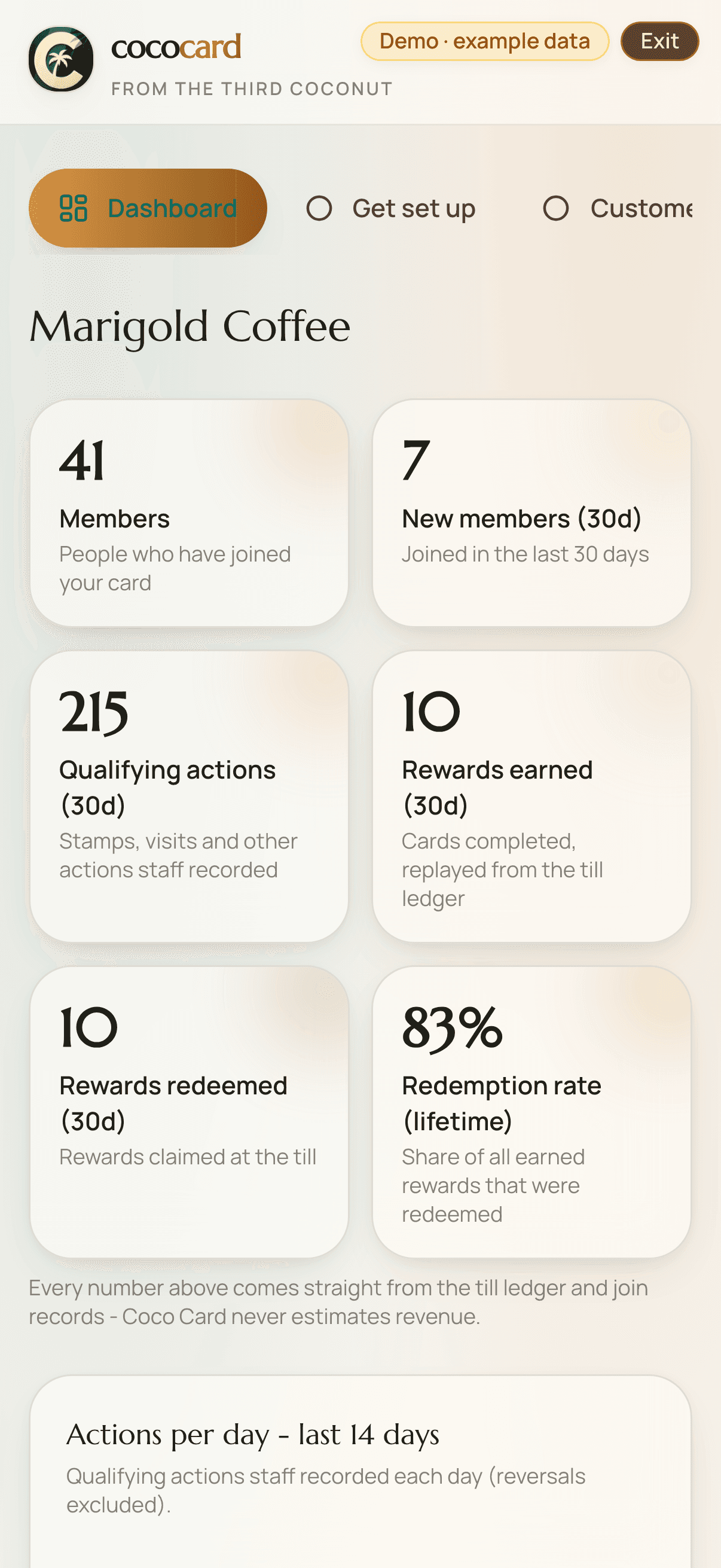
A real till-side recording of the live product: staff scan the customer's Coco Card, one tap adds the stamp, and the earned reward is redeemed - all through the actual ledger.
Genuine screen recording · demo-world data, labelled in-app
Set up free - your first 50 verified customer visits are on us, no card details, and no time limit - use the 50 at your pace. Move up when the card has earned its keep.
Your customers and rewards live in one simple dashboard. When you need more, switch on the tools that help you run the rest of the day - every one of them live today, one login.
Loyalty · Customers · Campaigns (Growth) · Autopilot · Reviews
Bookings (Pro) · Menu · Rota (Pro) · Jobs (Pro) · Stock (Pro)
Invoices · Pay (Pro) · Books (Pro) · Insights (Pro)
Mini-site · Leads
Free covers the essentials. Growth (£19/mo) runs your loyalty card with no visit limit; Pro (£39/mo) adds the complete business toolkit.
Neither. Set up free - your first 50 verified customer visits are on us, with no card details and no time limit - use the 50 at your pace - then keep the card running with Growth from £19/mo. Rolling, cancel anytime, two months free paid yearly. Prefer it set up for you? That's an optional £99 one-off, never required.
You get 7 days of grace to choose Growth or Pro - nothing is ever charged unless you set it up yourself. If you don't, NEW stamps pause (customers see the programme as paused, never an error) while every card, reward and your exportable customer list stay exactly as they were.
Where they go, and what a scan is worth. The Join QR is public: put it in your window, on your website, on your socials, on flyers and receipts. Scanning it makes someone a member of your card - it never awards a stamp or a visit, and it uses none of your free visits, which is exactly why it's safe to share anywhere. The Counter QR stays at your till: a customer scans it after they buy and it awards that visit. Don't put the Counter QR in your window or online - if you want a public code, that's what the Join QR is for.
They join and collect in the same tap. The screen says “Join & collect”, their Coco Card is made on the spot - no app, no password, not even an email - and this visit lands on it. Joining costs you nothing from your free visits; only the validated visit counts, and it counts once.
Your Join QR never changes, so join signs never go out of date - reprinting is only ever about the paper. If you turn on the Counter QR (the way to collect visits with no device at the till), that's one more sheet, printed on whatever printer you can get to - and it changes only when you choose to revoke or replace it - one click, and the fresh sign prints from your dashboard. If you'd like the printed pieces posted - a5 counter sign + stand, window sticker, 2 × a4 poster, table cards, referral cards - the counter kit is from £27.95, delivered, in your colours.
No dedicated Coco Card hardware, ever. Use a staff phone or tablet if you want staff scanning, put the rotating QR on a screen you already have, or print a Counter QR and use no business device at the till at all. The only thing the printed option needs is access to a printer - yours, or the print shop down the road.
You don't need one. Generate your Counter QR in the dashboard, print it and stand it by the counter - customers scan it on their own phones to collect their visit, and Coco Card applies your visit rules and anti-abuse protection automatically. Rewards work the same way: the customer taps Redeem and shows your team a live confirmation on their screen. No staff device needs to stay at the till.
A photo alone isn't enough to farm visits. Coco Card applies your visit limits to every scan of a Counter QR - so many per customer per day, with a minimum gap in between - and a repeat scan of the same visit is the same visit, never a second stamp. Scans that keep being turned away are slowed down and flagged; with the default location setting, a phone that is clearly nowhere near your counter is turned away; and you can revoke a sign and print its replacement in one click if a photo ever gets shared. A printed sign is still the lowest-setup option, not the most secure - Staff Scan and the Live Till QR carry more assurance.
It works with the ones a self-scan can honestly validate: stamp cards, visit counts, fixed points per visit, tier progress and fixed credit per visit. Cards where the reward depends on how much somebody spent, or on a referral, need a person in the loop, so those stay on Staff Scan - Coco Card won't let you point a Counter QR at one and then quietly stamp it anyway.
No. They scan a customer's QR from any phone - that's the whole job. At the rush, put the Live Till QR on any screen and customers stamp themselves. And if your team has no phone at the till at all, print the Counter QR: customers collect on their own phones, and a reward is handed over when the customer taps Redeem and shows your team the confirmation on their screen.
Three ways in, three levels of assurance - and you choose. Staff scanning: a person confirms every stamp. The Live Till QR rotates every 60 seconds, so a screenshot is useless. The Counter QR is the one that needs no device at your counter, so Coco Card does the checking: your visit rules apply automatically (so many per customer per day, with a gap in between), a repeat scan of the same visit is never a second stamp, unusual patterns are slowed down and flagged, every visit records which sign it came from, and if a photo of your sign ever gets shared you revoke it and print a new one in a click.
Yes. You're the data controller: your membership records are yours, and you can export them - with the contact details and marketing consent each member has supplied to your business - any time, no lock-in.
Open your dashboard and set the card up yourself in a few minutes - your first 50 verified customer visits are on us. Or tell us about your business and we'll design a mockup in your colours (replies within one working day).
Start freeA couple of cookies keep the site working. Beyond those, analytics is your call - the whole site works either way. What we set and why